Monday, 30 May 2016

How a Selenium Event Works?

WebDriver introduces a JSON wire protocol for various language bindings to communicate with the browser controller.
For example, to click an element in the browser, the binding will send POST request on/session/:sessionId/element/:id/click
So, at one end there is the language binding and a server, known as Selenium server, on the other. Both communicate using the JSON wire protocol.

Wednesday, 11 May 2016

How PageFactory DP is different from Page Object Model

Assume you are already aware of Page Object Design pattern.

Quick Recap:
 Each web page in the application there should be corresponding page class.
- Object Repository is independent of test cases.
- Flows in the UI should be separated from verification.

Advantages:
- Easy to Maintain
- Easy Readability of scripts
- Reduce or Eliminate duplicacy
- Re-usability of code

- Reliability


Page Factory :

- Extension to Page Object Model , but Page Factory is much enhanced model.


"Factory class can be used to make using Page Objects simpler and easier".

- We use Page Factory pattern to initialize web elements which are defined in Page Objects.
  Once we call initElements() method, all elements will get initialized.
- It is used to initialize elements of a Page class without having to use ‘FindElement’ or ‘FindElements’. Annotations can be used to supply descriptive names of target objects to improve code readability.

import org.openqa.selenium.WebDriver;
import org.openqa.selenium.WebElement;
import org.openqa.selenium.support.FindBy;
import org.openqa.selenium.support.How;
import org.openqa.selenium.support.PageFactory;

import com.abof.selenium_pagefactory.pom.utils.WebElementWait;

public class HeaderPage {
WebDriver driver;

@FindBy(how = How.LINK_TEXT, using = "Track my order")
private WebElement linkTrackMyOrder;

@FindBy(how = How.ID, using = "Header_GlobalLogin_signInQuickLink")
private WebElement linkSignIn;

@FindBy(how = How.ID, using = "Header_GlobalLogin_signOutQuickLinkUser")
private WebElement linkSignOut;

@FindBy(how = How.ID, using = "Header_GlobalLogin_loggedInDropdown_SignOut")
private WebElement btnSignOut;

public HeaderPage(WebDriver driver) throws Exception {
this.driver = driver;
PageFactory.initElements(driver, this);
}

public void navigateToSignInPage() {
linkSignIn.click();
}

public void signOut() {
linkSignOut.click();
btnSignOut.click();
}

public void navigateToTrackingOrderPage() {
linkTrackMyOrder.click();
}

public String getMeLoggedInPersonFirstName() {
WebElementWait.elementIsDisplayedFluentlyPredicate(linkSignOut, 5, 500);
return linkSignOut.getText();
}


}


PageFactory Instantiates all the elements of the web page at the start when we Initialized any page class objects. But think of the elements which will display on the web page after some action, say Ajax action. In PageFactory, every time when we call a method on the WebElement, the driver will go and find it on the current page once again.

In an AJAX-heavy application this is what we would like to happen, but in the case of regular application where elements are stable and when we know that the element is always going to be there and won’t change.  It would be handy if we could ‘cache’ the element once we’d looked it up and save some time of execution by commanding PageFactory to not search the WebElements on the page again.

Advantages of PageFactory
- less code using @FindBy
- Initialize all elements at a time
- using cache feature, we can save execution time
AjaxElementLocatorFactory feature

Friday, 6 May 2016

Why FluentWait required?

Before jumping into fluentwait, let’s understand a bit about other waits

1. Implicit:  
- Applicable for all the elements.
- Waits for the specified amount of time for an Element (Ex: 60 sec). 
- It will come out of waiting loop, if Element found (Ex: 10 sec).
- Throws 'No Such Element Exception' If element not found with in specified amount     (Ex. 60 sec) of time.

driver.manage().timeouts().implicitlyWait(60, TimeUnit.SECONDS);


2. Explicit:
- Applicable for said Element. (Only one element)
- Explicit overrides Implicit wait. (Ex: 120 sec)
- We can mention our condition, until satisfied. (I.e. expected condition)
- Returns WebElement 
- Throws Exception If element not found with in specified amount (Ex. 120 sec) of time.

WebDriverWait wait = new WebDriverWait(driver, 120); 
element = wait.until(ExpectedConditions.visibilityOfElementLocated(By.id("myId"));

** Here polling time is fixed. i.e 500 milli seconds.


Disadvantages:
- We cannot configure polling time. (i.e. 750 milli secs )
- Accepts only 'By' object, but not WebElement (for most of the Expected Condition method variables)
- There is no way to skip few Exceptions, if you wanted (i.e you wanted to continue wait for an element event though few exceptions thrown)

3. Fluent:
Above Disadvantages are Advantages here.

- Custom polling time
- Accepts WebElement as parameter
- Ignore specific types of exception waiting such as NoSuchElementExceptions while searching for an element on the page.


public static void elementIsDisplayedFluentlyPredicate(WebElement element, long timeOutInSeconds,
                                                long sleepTimeOut) {
                                new FluentWait<WebElement>(element).withTimeout(10, TimeUnit.SECONDS).pollingEvery(100, TimeUnit.MILLISECONDS)
                                                                .ignoring(NoSuchElementException.class).until(new Function<WebElement, Boolean>() {
                                                                                public Boolean apply(WebElement element) {
                                                                                                return element.isDisplayed();
                                                                                }
                                                                });

                }


Wednesday, 4 May 2016

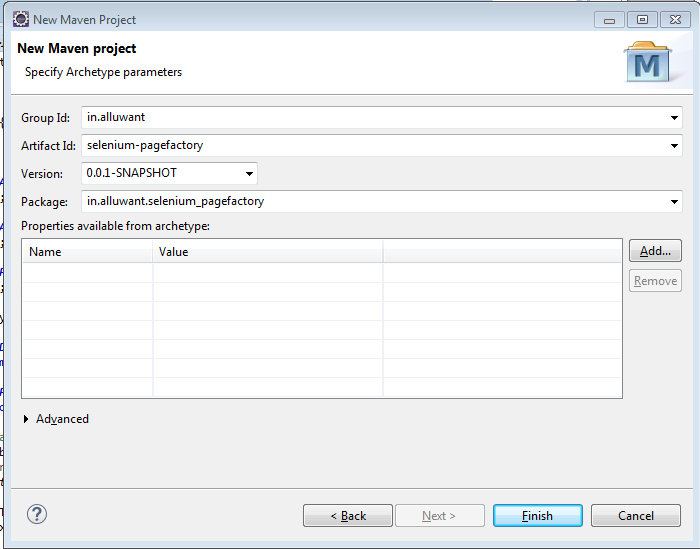
Maven Project : What is groupId, artifactId and version

In General, we encounter these terminology while creating a maven project.
1. groupId == Package Name
so we need to enforce a naming schema ( all small characters )
Ex: org.maven.common ( reverse domain packages)

2. artifactId is the name of the jar without version ( all small chars with '-' symbol between words)
artifactId == project name 
Ex: my-common.jar

3. version if you distribute it then you can choose any typical version with numbers and dots (1.0, 1.1, 1.0.1, ...). 


Thursday, 28 April 2016

Opening / Importing an existing project in Eclipse

Sometimes, we might be get confused, how to open an existing project in Eclipse?

Here we go.

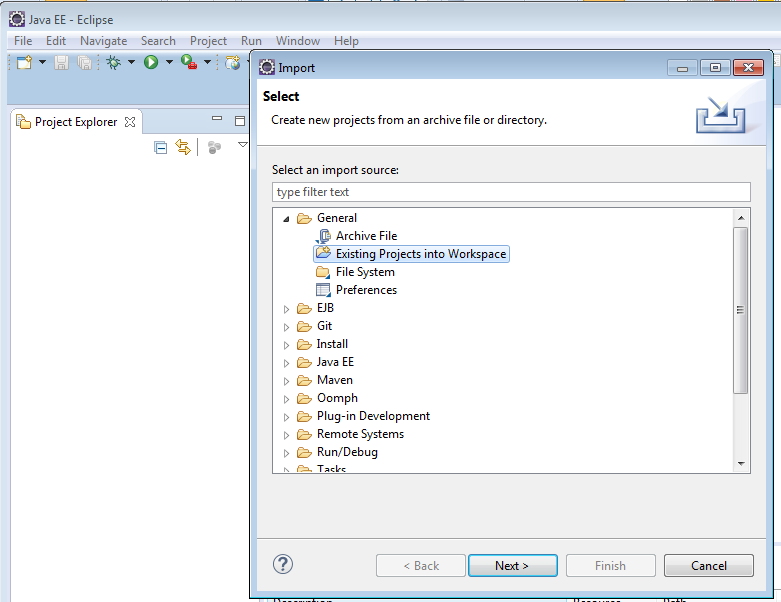
1. Open Eclipse, Navigate to File - > Import


2. Select 'Existing Project into work space' under General category.


If your project is maven project, please select 'Existing maven projects' under maven


3. Select your toot directory. ( This is Parents Folder of your project )


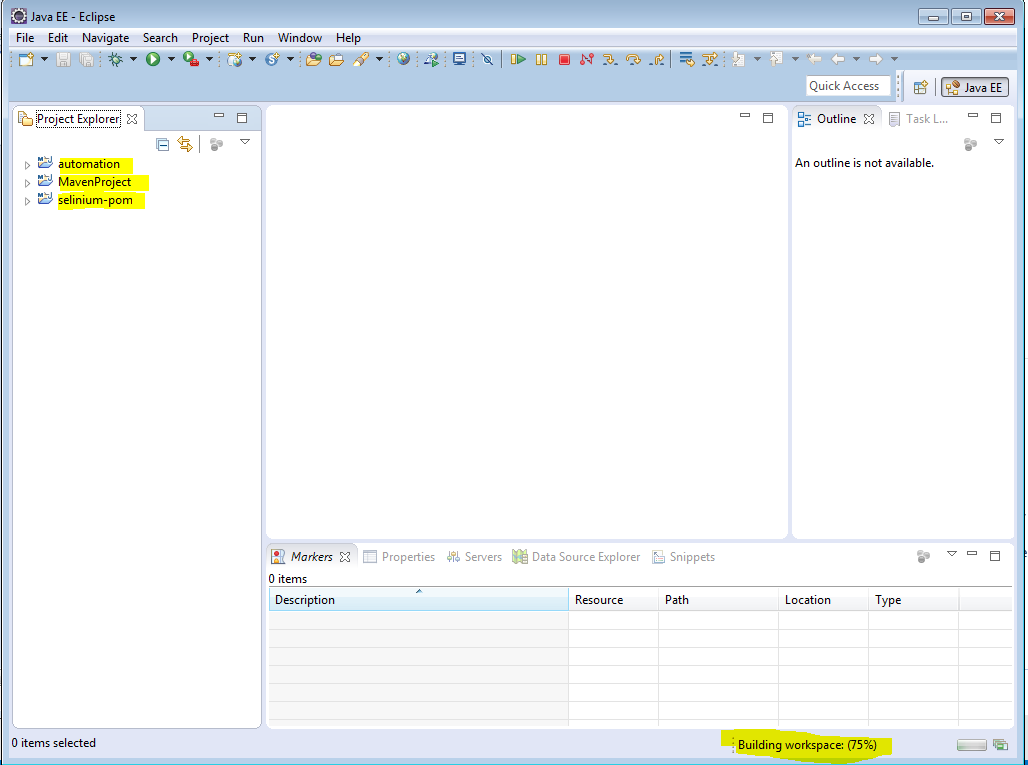
4. Here is how it looks like.


That's all.

Friday, 22 April 2016

Selenium POM ( Page object model) Project


-          Create a Maven project as explained here. http://kranthikasthuri.blogspot.com/2016/04/how-to-create-maven-project-in-eclipse.html


-          Lets add Selenium and TestNg Maven dependencies in pom.xml

<dependencies>
    <dependency>
       <groupId>org.seleniumhq.selenium</groupId>
       <artifactId>selenium-java</artifactId>
       <version>2.53.0</version>
    </dependency>
  
       <dependency>
         <groupId>org.testng</groupId>
         <artifactId>testng</artifactId>
         <version>6.8</version>
         <scope>test</scope>
       </dependency>
</dependencies>


-          The moment you add above code in pom.xml, IDE starts to download the said jars
-          Now maven dependencies looks like this.


Java coding part:

-          Now create packages for Page object model as shown below.

-          Driver object creation
o   I have used singleton design patterns to create. Here you can find it. http://kranthikasthuri.blogspot.com/2016/04/design-patterns-singleton-single-object.html
o   MyDriver.java contains only Driver object related stuff

-          Now, Lets work on POM
o   What is POM : Segregating Locators , pages and Tests related to each page for better maintenance.
o   This is how I segregated http://theyachtclub.in/  Home Page Locators, Pages and Tests.

-              HomePageLocators
-              HomePage
-              HomePageTests

o   Locators:
§  This this the palace where all your Specific page level locators exists.
o   Pages:
§  This is the places where all your specific page level locators exists

o   Tests:
§  This is the places where all your specific page level Test cases exists


Do you want to see the code?
Here is it.
https://github.com/kasthurikranthikumar/selenium-pom-sample 


-          For Running the project:
o   Right click on POM.xml and select maven test
-          If you are facing any issues please check below points
o   Make sure you had an entry in pom.xml which is related to testing dependency
o   You test class file must end with Test
o   M2_Maven variable must be added


Thursday, 21 April 2016

Git - Adding a project into gitHub.com

Do you want to move your project into git hub?

Pre requisites:
1.       Account in GitHub.com
2.       GitBash software ( Download here https://git-scm.com/download/win )
3.       Some project in local


Here are the steps.

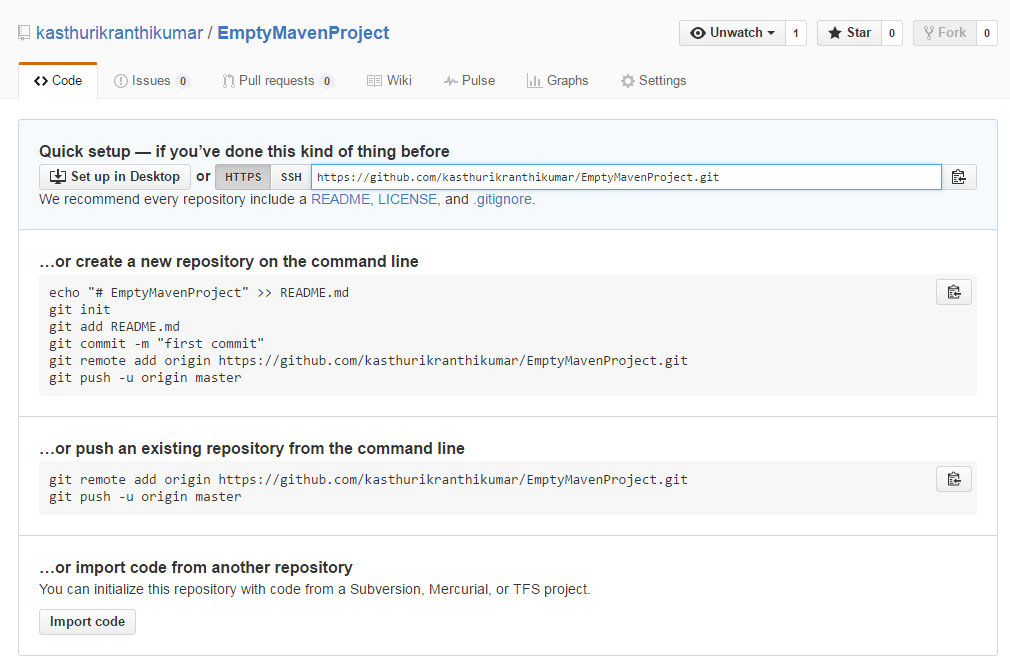
1.       Create a Repository in gitHub.com
a.       Click on New Repository button

b.      Enter Repository name (EmptyMavenProject)and click on create button

c.       Copy ssh key for further use. ( Ex: https://github.com/kasthurikranthikumar/EmptyMavenProject.git)

2.       Commit project via GitBash

a.       Open Project folder in Explorer

b.      Right click and select Git bash


c.       $git init


d.      $git add *


e.      $git commit –m “my first commit”


f.        $git remote add origin https://github.com/kasthurikranthikumar/EmptyMavenProject.git


g.       $git push origin master

j.    Now, we can see project in github.com.


Do you want to download this project? here is it.
https://github.com/kasthurikranthikumar/EmptyMavenProject